Home
Sell My Item
listings
Pilot Shop
Pages
Pilot FAQ
Private Pilot FAQ
National Private Pilot FAQ
Login
Register
Terms of Services
How it Works
Forget Password
Help Desk
LAA Aircraft
Blog
Cart
login
/
Register
Post Your Ad
Home
/
Aviation Gifts
/ Instructional Poster – Marshalling Signals
Aviation Gifts
Customer matched zone "Everywhere"
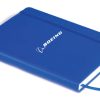
“Boeing Notebook – Blue” has been added to your cart.
View cart
£
9.95
inc VAT
Instructional Poster – Marshalling Signals
Add to cart
Buy with
SKU:
XPP121E/Share
Categories:
Aviation Gifts
,
Decoration
,
Posters
Description
Description
These beautifully illustrated A2 posters are ideal for any classroom.
Related
Products
Aviation GiftsFlight SimulationYokes | Pedals and Throttles
Honeycomb Charlie Rudder Pedals
£
340.00
inc VAT
Yokes | Pedals and ThrottlesAviation GiftsFlight Simulation
Honeycomb Alpha Flight Controls XPC – Compatible PC, XBox Series X|S (with XBOX™ HUB)
£
329.99
inc VAT
Aviation GiftsFlight SimulationYokes | Pedals and Throttles
TCA – Yoke Boeing Edition
£
349.99
inc VAT
Aviation GiftsBoeing MerchandiseNotebookStationary & CalendarsNotebooks
Boeing Notebook – Blue
£
9.95
inc VAT
back to top
×
×
Email Verification
Click Get New link for verification code, Code will be sent to your registered email.
Verify E-mail
Get New
×
Close Your Account
Are you sure? Be aware this action can not undo.
5
Rated
5
out of 5
0%
4
Rated
4
out of 5
0%
3
Rated
3
out of 5
0%
2
Rated
2
out of 5
0%
1
Rated
1
out of 5
0%
With images (
0
)
Verified (
0
)
5 stars(
0
)
All stars(
0
)
5 stars(
0
)
4 stars(
0
)
3 stars(
0
)
2 stars(
0
)
1 star(
0
)
12
YOUR CART
Apply
Boeing Keyring – Remove before flight
-
+
£
7.20
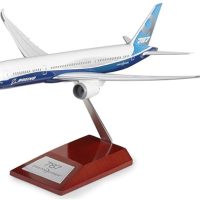
Boeing 787-10 Snap-Together Model with Wood Base
-
+
£
59.95
Honeycomb Charlie Rudder Pedals
-
+
£
340.00
Boeing Water Bottle
-
+
£
19.99
Boeing Men's Silver Rotating Airplane Watch
-
+
£
30.00
Boeing 777X Engine Mug
-
+
£
19.99
Alpha Flight Controls - Honeycomb Yoke & Switch Panel
-
+
£
269.99
Flight Stick Raptor Mach 2
-
+
£
49.99
Boeing Notebook - Blue
-
+
£
9.95
Admin Help
This panel is only visibile to the Administrator, You can turn it off by following
here
How to create new field
Assign Fields to a Category
Assign Field Group
Change currency symbol
How to Display Field on Search Filters











 How to create new field